Agent as Code

I used to not be a big fan of AI. I used to also not be a fan of “agentic workflows” as a concept. But I’d be lying if I said AI hasn’t been genuinely helpful in ways I didn’t expect.
Here’s the thing about me: I lose focus when I have to repeat the same process over and over. Every. Single. Time. I’ll be working on a project, hit a repetitive task, do it manually once or twice, and then just… quit. I don’t want to do it again. So the project dies.
This has happened more times than I can count, but I’ve been noticing a significant improvement over time since I started using AI agents for some of my daily tasks.
How AI Found Me
First: the boring stuff. I don’t want to automate everything…I mean…I actually enjoy certain manual tasks. But the repetitive stuff that drains me? The “I know how to do this, I just don’t want to do it again” stuff? AI handles that now. It’s not glamorous, but it’s real.
Second: my journals. I write every day. Seven days a week, 2000-3000 words on what went wrong, what went right, ideas I had, things I learned, weaknesses I noticed, personal projects I worked on. Writing daily has become a habit I take seriously.
But here’s the problem: what good are all those notes if they just sit there? I needed them to actually improve my habits, my work, my life. So I started using AI to process all that raw journal material into actionable insights. That alone has been worth it. I won’t go into details on how I created an automated workflow that acts as my personal coach and mentor in this post, but I will share how I’ve been able to manage my agentic workflow.
The Real Problem: Too Many Tools
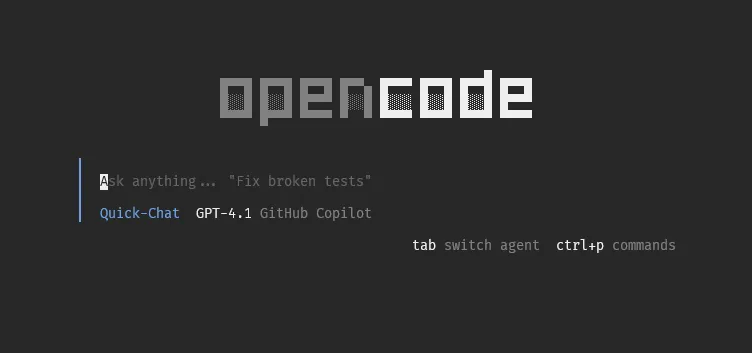
There are so many AI tools now. Claude Code. Gemini CLI. Opencode. Copilot. Every week something new drops. And each one has its own context folder...claude/, .copilot/, .gemini/, etc. Rules for this tool, references for that one, commands scattered everywhere.
rwxr-xr-x - thein3rovert 19 Feb 21:59 .claude.rw------- 2.8k thein3rovert 19 Feb 21:59 .claude.json.rw------- 92k thein3rovert 8 Feb 19:20 .claude.json.backup.rw------- 2.8k thein3rovert 19 Feb 21:59 .claude.json.backup.1771538342266.rw------- 2.8k thein3rovert 19 Feb 21:59 .claude.json.backup.1771538342270.rw------- 2.8k thein3rovert 19 Feb 21:59 .claude.json.backup.1771538342475.rw------- 2.8k thein3rovert 19 Feb 21:59 .claude.json.backup.1771538342941.rw------- 2.8k thein3rovert 19 Feb 21:59 .claude.json.backup.1771538343914drwxr-xr-x - thein3rovert 10 Dec 2025 .copilotdrwxr-xr-x - thein3rovert 10 Dec 2025 .opencoderwxr-xr-x - thein3rovert 19 Feb 21:59 .gemini-cliI’d be working on a task with Claude Code, build up a nice set of rules and references for it, then switch to try another tool because it has a free model or whatever. And suddenly I had to recreate all those documents. My agent configurations were scattered across my system. No version control. No single source of truth. Just chaos.
That’s where the productivity gain disappears. Not from using AI…but from managing all the noise around it.
Not just that, what if you want to manage permissions? Each AI agent CLI has something called agent.json or some sort of JSON file where you can add the default model for a specific agent, the name, permissions on things the agent can access, commands it can run and more. Having to cd into a “.agentname” can just be a productivity killer and it makes us just forget about restricting our agent to certain permissions and commands, and maybe one day the agent runs rm -rf / on us because it was hallucinating. What I am driving at here is all of this can be done in one centralized project/dir regardless of where the agent main dir is situated, with the help of Nix and home-manager. You might then be thinking, I don’t know Nix, what is Nix? Well, you can also do it with bash, which I am sure every engineer is familiar with. I won’t be sharing how to do this with bash, but reading how I did it with Nix should give you ideas on how to do it with bash.
Why Nix? Why Home-Manager?
You might wonder: why not just use a shared folder and symlinks? Why bring Nix into this?
Fair question. Here’s my answer:
I already manage my entire dotfiles and system configuration with Nix. My nixos-config handles everything..my terminals, my editors, my development environments, my dotfiles. When I rebuild, my entire setup is reproducible from a single git clone && nixos-rebuild switch.
So when I thought about managing my AI agent configs, the answer was obvious: do it the same way I do everything else. Home-manager already handles XDG config directories. My agent resources are just more files. Why would I maintain them separately?
xdg.configFile = { "opencode/commands" = { source = "${inputs.polis}/commands"; recursive = true; }; "opencode/context" = { source = "${inputs.polis}/context"; recursive = true; }; "opencode/prompts" = { source = "${inputs.polis}/prompts"; recursive = true; }; "opencode/skills" = { source = "${inputs.polis}/skills"; recursive = true; };};One place. One repo. One rebuild. Everything stays in sync.
And when I get a new machine? The flake pulls down, I run home-manager switch, and all my agent configs, skills, and context are there. No manual setup. No “I forgot to copy that folder” moments.
The Agents: Meet Arkadia
I’ve built out agents with distinct personalities. The main ones:
Arkadia: Named after the sanctuary built from the Alpha Station in The 100 (yes, I’m a fan). It’s my personal assistant in “Plan Mode.” Read-only analysis, planning, guidance. It knows my context: software engineer, PARA methodology, early mornings for deep work, evening daily reviews. It routes requests to the right skills and stays out of the way.
Arkadia-Forge: Same assistant but in “Worker Mode.” Full write access, but with safety prompts for destructive operations. This is the one I use when I actually want to get things done, not just plan them.
Then there are others..Prometheus for orchestration, Hephaestus for building, Sisyphus for running commands (heavily restricted for safety), Librarian and Explore for research. These are built-in agents that came with the opencode installation, but I barely use them because they aren’t really tailored to my personal workflow and needs.
I would always suggest creating agents that suit your needs. You alone know why you do on a daily basis to accomplish a task, how you achieve a task to the best of your ability, so why not train your agent to do the same and refine as much as you want until you reach a desired state.
The Skill System
The skills are what make this actually useful, dont confuse skills for agents. Each skill is a small, focused module that teaches my agent how to handle specific types of work. The task-management skill knows my PARA methodology and Obsidian setup, understanding where notes should go and how to format them. The reflection skill processes my daily journal entries into actual insights I can use. The communications skill helps with drafting emails and follow-ups. The research skill handles investigation workflows, and the knowledge-management skill keeps my notes organized and searchable.
Skills to me are what I use to train my agent on how to go about doing a specific task. Say, for example, I just finish having a planning session with my agent Arkadia on how to go about building a CI/CD pipeline.
 The conversation goes on and on, ideas spill out alongside my coffee, and we finally arrive at a destination. But then I don’t want to just close the session or tell it to implement. I want to have a summary of our discussion: what I suggested, what we decided not to do, problems we had, solutions we suggested, and what we finally went with, in a short summary and then a list of todos so I can follow along step by step. Later, when I need to use
 Arkadia Forge for the implementation and execution, I can just tell it to go straight to this note, saving me time to prompt again and it gets the full context of what I want to do.
Arkadia will use the task-management skill to perform the actions, and that skill still has all my note structure, knows where it’s supposed to save the note, how to format it, the location of references and similar notes and more.
 Each skill has a SKILL.md as the entry point, with optional scripts/, references/, and assets/ directories.
skills/├── agent-development/├── brainstorming/├── doc-translator/├── excalidraw/│ ├── references/│ └── SKILL.md├── frontend-design/│ └── SKILL.md├── mem0-memory/├── memory/│ ├── references/│ └── SKILL.md├── obsidian/│ └── SKILL.md├── outline/├── outlook/├── pdf/└── reflection/When Arkadia receives a request, it routes to the appropriate skill based on intent.
What This Gives Me
This setup gives me a single source of truth for everything. When I edit a skill, every agent can use it immediately without copying. Changes are tracked in git, so I can review what changed, revert if needed, and see my thinking over time. When I get a new machine, one flake update pulls down all my agent configs, skills, and context. The knowledge is decoupled from any specific tool, so I’m not locked in.
It’s Not Perfect!!! Runnnnn!!!!
I’ll be honest…this setup isn’t perfect.
Agent configurations are embedded into opencode’s config.json at Nix evaluation time. That means when I change an agent definition, I need to rebuild for it to take effect. Skills and commands are symlinked, so changes appear immediately, but it’s still a compromise.
But here’s what I’ve learned: treating my AI workflows as code..modular, versioned, declarative..has made them more maintainable. When I improve a skill or write a new command, I do it once and every agent immediately has access, so I don’t have to copy prompts between tools or wonder where I put that reference.
The Honest Take
I’m not sold on the AI hype. I don’t think AI is going to take over the world or whatever. But I’m practical about what helps.
This helps.
Not because it’s AI. But because it solves a real problem I had. too many tools, too much scattered context, too much friction. And at the end of the day, that’s what good systems do: they reduce friction so you can focus on what actually matters.
May we meet again.